|
Finally!!; Repair and Maintenance Training Videos for
ANY SWF model embroidery machine....ALL ONLINE!!
If you have a 601C, 1201C, 1201,1501C, 1501, 1502,
1504, 1506 or even a dual function SWF Embroidery
machine.......YOU
must get a subscription!!!
 Over
8 hours of Detailed Instruction! Over
8 hours of Detailed Instruction!
Click Here to see our subscription options
[blockquote
class=blue]"We all know that Machine Repairs are inevitable
and very costly. Waiting or paying for a technician is
sometimes "Not an Option" and looking through a manual could
take hours of your time, not to mention the frustration of
trying to figure it out by yourself."[/blockquote]

BONUS:
Get the SWF
Machine Operation Training too
FREE!
With
this supscription you can have most Repair and Maintenance procedures
taught to you in complete detail, showing you step by step
what you need to do to fix your machine..........
And for only$49 Click
Here for Subscription options

Think
of the last time something happened with your machine. You
call up tech support...they tell you what the problem might
be, they might even tell you how to fix it, but it still
takes 4 hours of your valuable time or worse....you spend 4
hours trying to fix it and STILL your machines are not
running right.
Don't wait until your machine goes down and
you have 50 shirts due the next day. Take advantage of the
training on this DVD...so you're prepared and comfortable
working on any problem your machine might have.
[span class=attention]Even if you have a NEW machine and
have a problem with it, you still have to pay at least a
travel charge for a service technician to come to you, which
is usually around $300. If the repair was a
maintenance or non-warranted problem, you can end up paying
even MORE for that tech visit, not to mention the down time
while waiting for a tech to be available.[/span]
However, the reason I created this website and am selling a
subscription for only $49
(including the bonus SWF MachineTraining) is
to help put an end to the hours of lost time and money due
to the inevitable repairs and adjustments an embroidery
machine will need. Click
Here to subscribe
 Simple,
Step by Step Video Instructions Simple,
Step by Step Video Instructions
will help you get your machine up and running faster and
with less trial and error so you can get back to Making
Money instead of trouble
shooting machine problems.
Video Training is
by far the most effective type of training available.
It allows you to pause, fast forward and rewind complicated
steps to help you better understand the process and take the
fear out of damaging your machine.
Use
these videos as a reference - use it to train new employees
- use it to refresh your knowledge....whatever reason, I
guarantee your investment will be well worth it!
 What
are you going to show me that I don't already know? What
are you going to show me that I don't already know?
I
remember when I first got my machine and went to training.
I walked out not knowing much more than I had learned in the
two weeks before, just tinkering with it. I learned
everything on my own and I wore that knowledge like a badge
of honor.
So if
you're asking that question...."What are you going to show
me that I don't already know", I understand where you're
coming from. However, looking back at how much time it
took me to figure things out, I wish I had something
available like this DVD. Something that could give me
a jump start or point me in the right direction. All I
wanted to do was make
money with my machine, not be a
mechanic!
Now
that I have a few other businesses, I seek out anything that
can sharpen the learning curve, get me past the mechanics
and on to making money!!
That's why I've made all
the SWF
Embroidery Repair and Maintenance Training VIDEOS available
ONLINE!
only $49...... Click
Here to subscribe
This
content took months to put together and I know it's worth
much more, but I would rather every SWF owner have the
opportunity to view these videos than just a few.
Whether you are a home
based business, retail shop or big contract embroiderer...this
subscription is for you!!
[blockquote]
-
For
the Home
Embroiderer, time is everything! You
cant afford to wait for a technician while your orders
pile up and trying to figure out how to repair or
trouble shoot your machine is frustrating, to say the
least. This site will give you more than an idea
on how to fix your machine.....watching it done, step by
step, will give you the confidence and technique to get
the job done right.
-
For Retail
Shops, time is of the essence. You
have to know your machine inside and out in order to get
jobs out the door. The more you know about your machine,
the better you can troubleshoot problems and get your
machine to finish any job. Using this site to
train employees is cost-effective and greatly reduces
the time you have to spend walking someone through basic
machine adjustments.
-
For Contract
Embroiderers, this is a huge money
saving tool on getting everyone up to speed on machine
operation, maintenance and repair. This should be the
first thing a new employee watches before touching a
machine. This will save you time in training, money in
repairs and help keep your machines well maintained.
For $49, how could you lose?[/blockquote]
 You
agree this Embroidery Training SITE could help,
but for whatever reason, you're STILL sitting on the fence. You
agree this Embroidery Training SITE could help,
but for whatever reason, you're STILL sitting on the fence.
You watched the videos, read the information, maybe even
searched and found this website while looking for training
options.
Maybe you’re thinking
“do I need this? Is it really going to help ME with MY
machine”... you want to be ABSOLUTELY
SURE this is for you.
I
understand how you feel, so let me make you a promise.....
If you
are not 100%
satisfied with your
subscription.....let us know and we will refund the full
amount!!!
I'm not
messing around here! I am so certain that this is the best
$49 investment an SWF owner can make.........I
don't want your money if you feel otherwise!!
Think
of all the designs you have purchased....the
patterns....gizmos and tons of other stuff to feed this
embroidery addiction (and we
all know it's an addiction). The amount you have
invested in this machine (or machines) means failure is not
an option.....and knowledge and training is absolutely
essential to your success as an embroiderer.
For $49 you
get over 8
hours of professionally filmed, step
by step training on repairing,
maintaining and operating your commercial embroidery
machine.
I've
made this subscription site affordable for a reason....so
please don't take this low price for low quality, or lacking
in content. Like I said before........I want EVERYONE
to be able to benefit from this knowledge.
Click Here to subscribe
100% Money Back Guarantee means you
have nothing to lose and EVERYTHING to gain
|
|
|
|
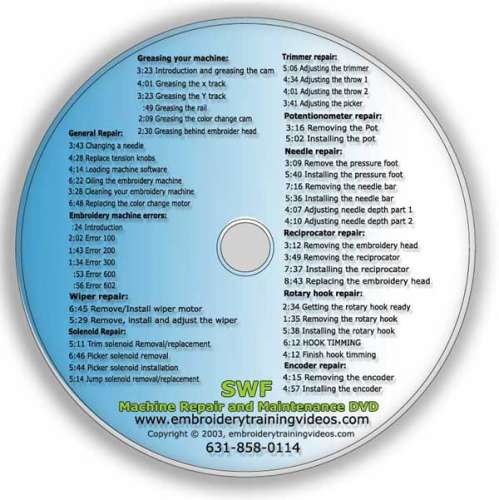
* Introduction
*
Greasing the cam
* Greasing the X track
*
Greasing the Y track
* Greasing the rail
*
Greasing the color change cam
* Greasing behind
the embroidery head
* Changing a needle
*
Replacing tension knobs
* Oiling the rotary hook
1
* Oiling the rotary hook 2
* Cleaning your
embroidery machine
* Replacing the color change
motor
* Trim solenoid removal/replacement
*
Picker solenoid removal
* Picker solenoid
installation
* Jump solenoid removal/replacement
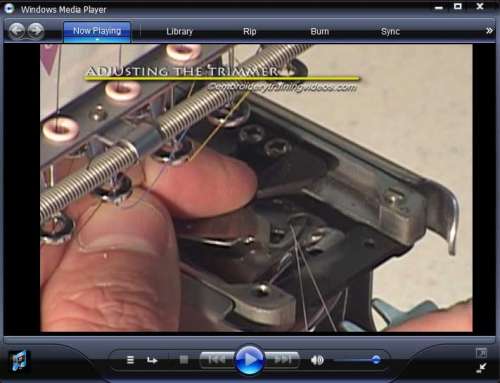
* Adjusting the trimmer
* Adjusting the trimmer
throw
* Trimmer throw final
* Introduction to
error codes
* Error 100
* Error 200
* Error
300
* Error 600
* Error 602
* Wiper removal
and installation
* Adjusting the wiper
*
Removal and installation of wiper motor
*
Removing the pressure foot
* Installing the
pressure foot
* Removing the needle bar
*
Installing the needle bar
* Adjusting the needle
depth
* Fine tune needle depth
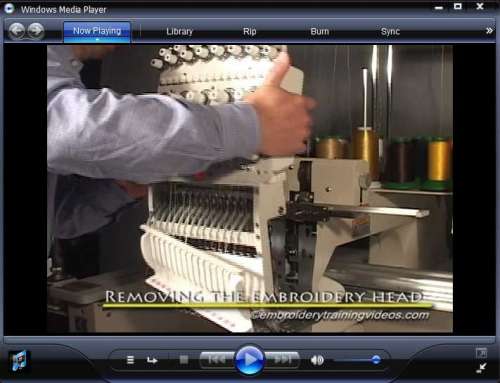
* Removing the
embroidery head
* Attaching the embroidery head
* Removing the reciprocator
* Installing the
reciprocator
* Remove and install the encoder
* Replacing the potentiometer
* Rotary hook
preparation
* Removing the rotary hook
*
Installing the rotary hook
* Hook timing
*
Adjusting hook timing
CONTROL
PANEL
* PANTOGRAPH MOVEMENT CONTROL
* LED
PANEL
* SPEED
* SETTING BUTTON
* EMB CALL
BUTTON
* SUB WORK BUTTON
* REPEAT BUTTON
*
MACHINE BUTTON
* MACHINE function
* EDIT BUTTON
* FRAME BUTTON
* FLOAT BUTTON
* M-SETTINGS BUTTON
* FDD BUTTON
* TRIM BUTTON
* OFFSET BUTTON
* STOP/STOP BUTTON
* NEEDLE
BUTTON
* PREVIOUS BUTTON
|
LCD Control Panel
*New
* LCD control panel operation
*
Buttons
* Screens
* Function location
*
Operation
* Loading a design
* Loading
sequence
* setting up colors
* orientation
* Centering the design
* Best practices
*
Design size
* Tracing the
design
EMBROIDERY BASICS
* Threading
your machine
* From scratch
* Pull through
method
* Removing the driver
* Attaching
tubular arms for flats
* Calling a design
*
Assigning colors
* Centering the hoop
*
Tracing a design
* Standard trace
* Optimized
trace
* Tension tests (H,I,FOX) – adjusting
upper thread tension
* Understanding tensions
* I test
* FOX test
* Tension examples
*
Adjusting bobbin tension
* Proper operating
speeds
* Quick color change
Hats
* Placement of the Gauge - mounting
*
Attaching the driver
* Removing the driver
*
Setting up the control panel
* Hooping a hat on
the 270 frame
* Calling a design, centering,
tracing on
the 270 frame
* Hooping a
hat on the standard frame
* Connecting the
standard hat frame to
the driver
*
Calling a design, centering, tracing on
the standard frame
* Hooping for front and side
embroidery
* Sewing on front and side of hats
* Sewing on side of finished hat
* Hooping back
of hat with standard
frame
* Sewing on
back of hats with standard
frame
*
Hooping back of hat with 9cm frame
* Adjusting
the 270 cap frame
* Adjusting the standard cap
frame
* Also included
*Hat preparation
*
Design limits for 270 and standard
* Design
placement for 270 and standard
|
|
TESTIMONIAL
"I purchased the DVD's
a couple of years ago for ...just in case ...Well it
finally happened and something went wrong with my
machine over a weekend. I messed with it for about 2
hours and then decided to check the DVD's. Sure
enough, it gave me the answer I needed and showed me
step by step how to take whatever apart and repair
it. I was well worth the money, believe me. And no
problem since then either.
Mary C McLaughlin
UNIQUE EMBROIDERY
Div of MARINJO LLC
|
TESTIMONIAL
" I recommend the
video highly as it will save you hundreds or perhaps
several thousands of dollars waiting on a tech to
arrive to fix your machine if it should ever have a
problem. The costs for the videos is nominal when
comparing to the costs of down time in waiting for a
tech to arrive to repair your machine."
I
hope this helps
Allen Gripton
SWF East
Technician
|
Click Here to SUBSCRIBE for
only $49
|